A strong RV park WiFi connection can make the difference between a convenient stay and a frustrating one. Whether you are checking work email from your rig, streaming a movie after a day around Tulsa, video-calling family, or planning tomorrow’s route, internet access has become part of the basic comfort guests expect from a well-run RV park.
Still, WiFi at an RV park works differently than the internet connection in a house or hotel room. Signal strength can change by site, device, weather, and the number of people online at the same time. Understanding what affects service helps travelers choose the right park, arrive prepared, and get the most from their stay.
Why RV Park WiFi Matters
For an overnight traveler, WiFi may be a simple convenience. It lets you confirm a reservation, check local attractions, pull up a weather forecast, or relax with a favorite show before bed. For a guest staying a week, a month, or longer, dependable access can be much more central to daily life.
Remote workers may need to join video meetings. Families may need to keep children connected to school resources. Guests relocating to Tulsa often rely on internet access while searching for housing, coordinating a new job, or handling paperwork. Long-term residents also use WiFi for banking, telehealth appointments, entertainment, and staying in touch with the people who matter most.
That is why free WiFi is more than a line on an amenities list. It is part of making an RV site feel practical, comfortable, and ready for real life. The best parks treat connectivity as one piece of a larger guest experience that also includes clean facilities, dependable hookups, clear communication, and a safe place to settle in.
What Affects RV Park WiFi Performance?
A park can offer WiFi throughout the property, yet guests may have different experiences depending on where they are parked and how they use the connection. That does not always mean the service is poor. Wireless signals have physical limits, especially in outdoor environments with large vehicles, trees, and changing guest traffic.
Distance is one of the biggest factors. A device closer to an access point will usually receive a stronger signal than one farther away. RV walls, metal frames, tinted windows, and appliances can also weaken a signal before it reaches your phone, tablet, laptop, or smart TV. A tree-covered setting brings welcome shade and a peaceful atmosphere, but leaves and branches can sometimes affect wireless coverage as well.
Network demand matters, too. If many guests are streaming high-definition video, gaming, uploading large files, or attending video calls at the same time, speeds may slow during peak evening hours. This is common in any shared network, including apartment buildings, airports, and hotels.
The device itself can make a noticeable difference. An older laptop or streaming stick may struggle with a connection that works well on a newer phone. Background updates, cloud backups, and multiple connected devices inside one RV can use bandwidth without anyone realizing it.
What Guests Should Expect From Park WiFi
Park WiFi is designed to help guests stay connected during their stay. It is often well suited for web browsing, email, social media, travel planning, messaging, online forms, and everyday streaming. For many travelers, that covers nearly everything they need.
However, guests who depend on constant high-bandwidth service for work should plan with a backup option. A dedicated mobile hotspot, cellular router, or phone tethering plan can provide added peace of mind for a critical meeting or deadline. This is especially true for professionals who transfer large files, participate in frequent video conferences, or need a private connection for sensitive business systems.
The right setup depends on your needs. If you are staying a night or enjoying a relaxed week of sightseeing, complimentary WiFi may be all you require. If your RV is also your full-time office, using both park WiFi and your own cellular backup is a smart way to stay prepared without putting all your connectivity on one network.
How To Get A Better Connection At Your Site
A few simple steps can improve your experience before you assume there is a network issue. Start by connecting close to a window or outside your RV. If the signal improves, the RV structure may be blocking part of the connection. Moving your laptop or streaming device to a different area inside can sometimes solve the problem.
Disconnect devices you are not actively using, particularly tablets, TVs, game consoles, and smart speakers that may be downloading updates in the background. If a video call is important, pause other streaming in your RV first. Restarting your phone, laptop, or streaming device can also clear a temporary connection problem.
For longer stays, consider a WiFi extender or a directional antenna designed for RV use. These tools are not necessary for every traveler, but they can help guests whose work or entertainment setup needs a stronger signal inside the rig. Before purchasing equipment, make sure it fits your particular RV and internet needs.
It also helps to use the network thoughtfully. Streaming in standard definition instead of 4K, scheduling large downloads overnight, and saving major uploads for lower-traffic periods can make the connection feel more responsive. Small adjustments can go a long way on a shared guest network.
Connectivity Works Best With Good Park Management
Internet service is only one part of a stay, but it often reflects how a park approaches guest comfort. Clear login information, a straightforward way to report trouble, and an onsite team that takes concerns seriously all help guests feel looked after.
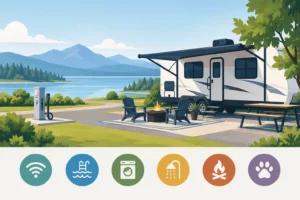
At Big Tree RV Park, free WiFi is paired with the practical features travelers and long-term guests need: full hookups, concrete pads, 50/30/20 AMP electric service, showers, laundry, gated access, and onsite management. The goal is not simply to provide a place to park. It is to create an organized, comfortable place where guests can relax, recharge, and handle the needs of the road or everyday life.
A secure, well-maintained setting also matters when you are online. Guests may be completing job applications, managing accounts, checking travel documents, or coordinating a move. Basic online safety remains worthwhile on any shared network. Use secure websites, keep your devices updated, and avoid handling highly sensitive information on public WiFi unless you are using your own protected connection.
Choosing An RV Park With Internet In Mind
When comparing RV parks, ask what type of stay you are planning. A weekend visitor may prioritize location, easy check-in, and enough service to stream a movie. A seasonal guest or traveling professional may care more about the consistency of the signal near their specific site, cellular coverage in the area, and the availability of a backup plan.
It is also reasonable to ask the park staff about WiFi before booking if internet is essential to your plans. Explain whether you need it for casual use, remote work, school, or entertainment. A helpful team can give you a more realistic picture of what to expect and help you choose the best approach for your stay.
Reliable connectivity should support your RV lifestyle, not become another travel headache. Choose a park that values comfort and communication, bring a backup when work cannot wait, and give yourself room to enjoy the reason you came in the first place: a comfortable stay with Tulsa close by and your home on wheels ready for the next adventure.